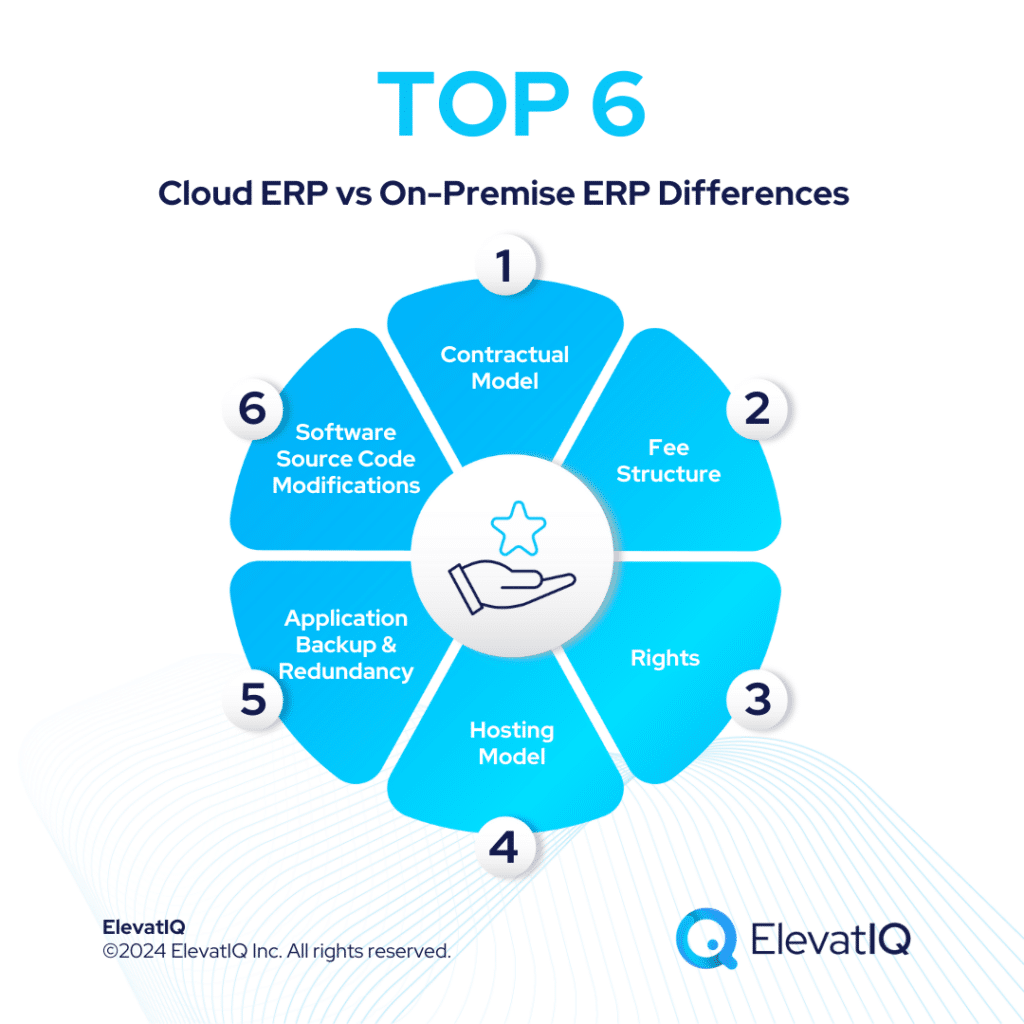
Cloud ERP vs. On-Premise ERP: A Comprehensive Guide to Navigating Your Enterprise Software Choice
In the rapidly evolving landscape of modern business, Enterprise Resource Planning (ERP) systems have become indispensable tools for managing and integrating various facets of an organization. From finance and human resources to supply chain and customer relations, ERP streamlines operations, enhances decision-making, and drives efficiency. However, the foundational decision for any company embarking on an ERP journey lies in choosing between two primary deployment models: Cloud ERP and On-Premise ERP.
This choice is not merely a technical one; it profoundly impacts a company’s financial structure, operational agility, IT strategy, and long-term growth trajectory. Each model presents a unique set of advantages and disadvantages, making a one-size-fits-all solution virtually non-existent. Understanding the nuances of Cloud ERP versus On-Premise ERP is crucial for making an informed decision that aligns with a business’s specific needs, resources, and strategic vision.
This article will delve deep into both deployment models, exploring their definitions, characteristics, advantages, disadvantages, and the critical factors businesses must consider when making this pivotal investment.
On-Premise ERP: The Traditional Powerhouse
On-Premise ERP represents the traditional model where the ERP software is installed and runs on servers located within the company’s own data center. The organization purchases licenses for the software, and is responsible for managing all aspects of its deployment, maintenance, and security.
Key Characteristics:
- Physical Infrastructure: Requires dedicated servers, networking equipment, and data storage within the company’s facilities.
- Ownership and Control: The business owns the software licenses and has full control over the system, including customization, data, and security protocols.
- Internal IT Management: A dedicated internal IT team is essential for installation, configuration, maintenance, updates, troubleshooting, and security management.
- Capital Expenditure (CapEx): Involves significant upfront costs for software licenses, hardware, and implementation services.
Advantages of On-Premise ERP:
- Maximum Control and Customization: Businesses have unparalleled control over every aspect of the ERP system. This allows for deep, highly specific customizations to meet unique business processes and industry-specific requirements, without being limited by a vendor’s multi-tenant architecture.
- Data Security and Ownership: Data resides on the company’s own servers, giving the organization complete control over its security measures and data governance. For industries with stringent regulatory compliance requirements (e.g., healthcare, finance, defense), this can offer a perceived or actual higher level of security assurance.
- No Reliance on Internet Connectivity: Once installed, the system’s core functionality is not dependent on a constant, high-speed internet connection, which can be crucial for businesses in remote locations or those with unreliable network infrastructure.
- Long-Term Cost Predictability (after initial investment): While initial costs are high, ongoing costs primarily involve maintenance, support contracts, and eventual upgrades. Once the initial investment is amortized, the operational costs can become more predictable over a longer period, potentially leading to a lower Total Cost of Ownership (TCO) for very large, stable systems over many years.
- Integration with Legacy Systems: Often easier to integrate with existing proprietary legacy systems and specialized hardware, as the company has direct access to the server environment and database.
Disadvantages of On-Premise ERP:
- High Upfront Costs: The initial investment for software licenses, hardware, infrastructure, and implementation can be substantial, requiring significant capital expenditure.
- High IT Resource Requirements: Demands a robust internal IT team with expertise in server management, database administration, network security, and ERP system maintenance. This can be a significant ongoing operational cost.
- Scalability Challenges: Scaling the system up or down to meet changing business needs involves purchasing and installing more hardware, which can be time-consuming, costly, and disruptive.
- Slower Deployment: Implementation cycles are typically longer due to the need for hardware procurement, installation, extensive customization, and thorough testing.
- Maintenance and Upgrades Burden: The company is solely responsible for all software updates, patches, and version upgrades, which can be complex, disruptive, and require significant IT effort.
- Limited Accessibility: Access to the ERP system is typically restricted to the company’s network, often requiring VPN connections for remote users, which can limit mobility and flexibility.
Cloud ERP: The Modern Paradigm
Cloud ERP, often delivered as Software-as-a-Service (SaaS), operates on a subscription model. The software and its associated data are hosted by a third-party vendor and accessed by users over the internet, typically via a web browser. The vendor manages the infrastructure, maintenance, and updates.
Key Characteristics:
- Vendor-Managed Infrastructure: The ERP vendor hosts the software and data on their own servers (public, private, or hybrid cloud).
- Subscription Model: Businesses pay a recurring fee (monthly or annually) for access to the software, transforming IT costs from CapEx to Operating Expenditure (OpEx).
- Internet-Dependent Access: Users access the system remotely from any device with an internet connection.
- Shared Responsibility Model: The vendor is responsible for the core infrastructure, software maintenance, and security of the cloud environment, while the customer is responsible for data security within the application and user access.
Advantages of Cloud ERP:
- Lower Upfront Costs: Eliminates the need for large capital outlays on hardware and software licenses. Businesses pay a predictable subscription fee, making it more accessible for small and medium-sized enterprises (SMBs).
- Faster Deployment: Cloud ERP systems are often pre-configured and ready to use, significantly reducing implementation time. Businesses can get up and running much quicker.
- Enhanced Scalability and Flexibility: Cloud platforms are inherently elastic. Businesses can easily scale computing resources (users, storage, functionality) up or down based on demand, paying only for what they use. This is ideal for rapidly growing or fluctuating businesses.
- Automatic Updates and Maintenance: The vendor handles all software updates, patches, and version upgrades, ensuring users always have access to the latest features and security enhancements without any internal IT effort or downtime.
- Superior Accessibility and Mobility: Users can access the ERP system from anywhere, at any time, on any device with an internet connection. This supports remote workforces, mobile employees, and global operations.
- Reduced IT Burden: The responsibility for infrastructure management, maintenance, and security largely shifts to the cloud provider, freeing up internal IT teams to focus on strategic initiatives rather than day-to-day operational tasks.
- Improved Disaster Recovery: Cloud providers typically offer robust disaster recovery capabilities and data backup services, often at a lower cost than an organization could implement on its own.
Disadvantages of Cloud ERP:
- Internet Dependency: A reliable, high-speed internet connection is crucial. Any outage or slowdown can disrupt access to the ERP system.
- Less Control and Customization: While modern cloud ERPs offer configuration options, deep customization is often limited due to the multi-tenant architecture. Extensive modifications can make future upgrades difficult or may not be supported.
- Data Security Concerns (Perception vs. Reality): Some businesses are apprehensive about entrusting their sensitive data to a third-party vendor, fearing breaches or loss of control. While reputable cloud providers invest heavily in security, the responsibility is shared, and vetting the vendor’s security protocols is essential.
- Vendor Lock-in: Switching cloud ERP providers can be challenging due to data migration complexities, integration dependencies, and proprietary formats.
- Ongoing Subscription Costs: While initial costs are lower, subscription fees are perpetual. Over a very long period, the cumulative subscription costs might exceed the TCO of an on-premise system, depending on specific circumstances and initial investments.
- Integration Challenges: Integrating cloud ERP with highly specialized on-premise legacy systems or unique hardware can sometimes be more complex, relying on APIs and connectors.
A Deep Dive into Key Comparison Areas
To make an informed decision, it’s essential to compare these models across several critical dimensions:
1. Cost Structure: CapEx vs. OpEx
- On-Premise: Predominantly a Capital Expenditure (CapEx) model. Businesses incur significant upfront costs for software licenses, hardware (servers, storage, networking), data center infrastructure, and professional services for implementation. Ongoing costs include IT staff salaries, maintenance contracts, energy consumption, and periodic hardware upgrades.
- Cloud: Primarily an Operating Expenditure (OpEx) model. Businesses pay recurring subscription fees, which cover software usage, infrastructure, maintenance, and basic support. This predictable monthly or annual cost allows for easier budgeting and frees up capital that would otherwise be tied up in IT assets. While seemingly cheaper upfront, it’s crucial to calculate the Total Cost of Ownership (TCO) over a 5-10 year period for a true comparison, factoring in all hidden costs for both models.
2. Deployment & Implementation
- On-Premise: Characterized by longer, more complex deployment cycles. It involves procuring and setting up hardware, installing software, configuring databases, extensive customization, and rigorous testing. This can take months or even years.
- Cloud: Offers significantly faster deployment. Since the infrastructure is already in place, businesses primarily focus on configuration, data migration, and user training. Many cloud ERPs can be operational in a matter of weeks or a few months.
3. Scalability & Flexibility
- On-Premise: Scaling requires physical hardware upgrades, which are costly, time-consuming, and can lead to downtime. Downsizing is even more challenging, often resulting in underutilized assets.
- Cloud: Provides elastic scalability. Resources can be easily adjusted up or down based on business demand (e.g., adding more users, storage, or processing power) with minimal disruption, often through self-service portals, and businesses only pay for what they use.
4. Security & Data Ownership
- On-Premise: The organization has complete control over its data and security measures. This can be advantageous for highly regulated industries but also places the full burden of security, compliance, and disaster recovery on the internal IT team.
- Cloud: Security is a shared responsibility. Reputable cloud providers invest heavily in enterprise-grade security infrastructure, compliance certifications (e.g., ISO 27001, SOC 2), and dedicated security teams, often surpassing what individual businesses can afford. However, the customer retains responsibility for securing their data within the application (e.g., user access controls, data encryption in transit). Data residency laws and vendor contracts regarding data ownership are critical considerations.
5. Customization & Integration
- On-Premise: Offers the highest degree of customization. Businesses can modify the core code, integrate deeply with existing systems, and tailor the software precisely to their unique workflows. However, extensive customization can complicate future upgrades.
- Cloud: Customization is typically limited to configuration options, extensions, and integration via APIs. While this promotes standardization and easier upgrades, it means businesses might need to adapt some processes to fit the software rather than vice-versa. Modern cloud ERPs are increasingly offering robust integration capabilities through open APIs and marketplaces.
6. Maintenance & Updates
- On-Premise: The organization is responsible for all system maintenance, patching, and major version upgrades. These processes can be complex, time-consuming, resource-intensive, and often require planned downtime.
- Cloud: The vendor handles all maintenance, patches, and upgrades automatically and seamlessly. Users always operate on the latest version of the software, benefiting from new features and security enhancements without any internal effort.
7. Accessibility & Mobility
- On-Premise: Access is typically confined to the corporate network, requiring VPNs for remote access, which can be cumbersome and less performant.
- Cloud: Offers ubiquitous access from any location, on any device (desktop, laptop, tablet, smartphone) with an internet connection, fostering greater collaboration, mobility, and support for remote work models.
8. IT Resource Requirements
- On-Premise: Demands a significant internal IT team with diverse expertise in infrastructure management, database administration, network security, and application support.
- Cloud: Significantly reduces the internal IT burden, allowing smaller teams or even outsourced IT to manage user accounts and system configurations rather than underlying infrastructure.
Making the Right Choice: Factors to Consider
The decision between Cloud and On-Premise ERP is highly situational. Here are the key factors businesses should evaluate:
-
Business Size and Growth Trajectory:
- SMBs and rapidly growing companies: Often benefit from Cloud ERP’s lower upfront costs, faster deployment, and scalability.
- Large, established enterprises: May have the IT resources and specific needs that justify the control and customization of On-Premise, though many are now migrating to cloud or hybrid models.
-
Budget and Cash Flow:
- Limited capital budget, preference for OpEx: Cloud is often more attractive.
- Significant capital budget, preference for asset ownership: On-Premise might be considered.
-
Existing IT Infrastructure and Expertise:
- Robust internal IT team and existing data center: May leverage On-Premise more effectively.
- Limited IT staff or desire to offload IT management: Cloud is a strong contender.
-
Industry-Specific Requirements and Compliance:
- Highly regulated industries (e.g., government, defense) with very strict data residency or security mandates might lean towards On-Premise or specialized private cloud solutions. However, many cloud providers now offer services compliant with various industry standards.
-
Customization Needs:
- Unique, complex business processes requiring deep software modification: On-Premise might be necessary.
- Standard processes or willingness to adapt to best practices: Cloud ERP is usually sufficient.
-
Security and Data Control Preferences:
- Absolute control over data location and security implementation: On-Premise.
- Trust in expert cloud provider security, shared responsibility model: Cloud.
-
Long-Term Strategic Vision:
- Does the company prioritize agility, innovation, and global accessibility? Cloud aligns better.
- Does it prioritize stability, deep control, and leveraging existing infrastructure? On-Premise might be preferred.
Conclusion
The choice between Cloud ERP and On-Premise ERP is a strategic decision with profound implications for an organization’s future. On-Premise ERP offers unparalleled control, customization, and perceived data security, ideal for large enterprises with unique needs, ample IT resources, and specific regulatory environments. However, it comes with significant upfront costs, heavy IT burden, and scalability challenges.
Cloud ERP, on the other hand, embodies modern agility, offering lower upfront costs, rapid deployment, superior scalability, automatic updates, and ubiquitous accessibility. It is often the preferred choice for SMBs, fast-growing companies, and those seeking to reduce their IT overhead and focus on core business innovation. While it involves ceding some control and relies on internet connectivity, reputable cloud providers offer robust security and performance.
Ultimately, there is no universally "better" option. The optimal choice hinges on a thorough assessment of a company’s specific business requirements, financial capabilities, IT landscape, industry regulations, and long-term strategic goals. Many organizations are also exploring hybrid ERP models, combining the strengths of both, by keeping some sensitive data or critical legacy applications on-premise while leveraging the cloud for other functionalities.
As technology continues to evolve, the lines between these deployment models may blur further. What remains constant is the need for businesses to meticulously evaluate their options, engage with stakeholders, and select an ERP solution that empowers them to thrive in an increasingly competitive global marketplace.