What is an ERP System and How It Works: A Comprehensive Guide
In today’s fast-paced business world, organizations are constantly seeking ways to optimize operations, enhance efficiency, and gain a competitive edge. One of the most powerful tools enabling this transformation is the Enterprise Resource Planning (ERP) system. More than just a piece of software, ERP represents a fundamental shift in how businesses manage their resources, data, and processes. This comprehensive guide will delve into what an ERP system is, how it functions, its key components, benefits, challenges, and the future it holds for businesses worldwide.
1. Introduction: Navigating Business Complexity
Modern enterprises, regardless of their size or industry, grapple with a multitude of complex functions: managing finances, human resources, supply chains, manufacturing, sales, and customer relationships. Traditionally, these functions often operated in isolation, using disparate software systems or manual processes. This created data silos, inefficiencies, errors, and a fragmented view of the business.
Enter Enterprise Resource Planning (ERP). At its core, ERP is a unified software system designed to integrate and manage all core business processes, from planning to purchasing, manufacturing, sales, marketing, and human resources. Its primary goal is to provide a single, comprehensive, and real-time view of the entire organization, fostering better collaboration, data accuracy, and decision-making.
The evolution of ERP dates back to the 1960s with inventory management and Material Requirements Planning (MRP) systems, which later evolved into Manufacturing Resource Planning (MRP II) in the 1980s. By the 1990s, these systems expanded beyond manufacturing to encompass a broader range of business functions, leading to the coining of the term "Enterprise Resource Planning." Today, ERP systems are indispensable for businesses looking to streamline operations, reduce costs, and drive growth.
2. What is an ERP System? Beyond the Acronym
While "Enterprise Resource Planning" is the official name, an ERP system is far more than just a planning tool. It is an integrated suite of business applications that organizations use to collect, store, manage, and interpret data from many business activities. Think of it as the central nervous system of a company, connecting all its vital organs and ensuring they work in harmony.
The defining characteristic of an ERP system is its centralized database. Instead of different departments maintaining their own separate databases for customer information, sales orders, inventory levels, or financial records, an ERP system consolidates all this data into one unified repository. This "single source of truth" eliminates data duplication, ensures consistency, and provides real-time access to accurate information across the entire organization.
Key characteristics of an ERP system include:
- Integration: All modules and functions are seamlessly interconnected.
- Centralized Database: A single, unified database stores all organizational data.
- Real-time Operations: Data updates are immediate, providing current information.
- Common User Interface: Consistent look and feel across different modules.
- Business Process Automation: Automates routine tasks and standardizes workflows.
- Reporting and Analytics: Provides tools for comprehensive business analysis.
By breaking down departmental barriers and fostering seamless information flow, ERP systems empower businesses to operate more efficiently, respond quickly to market changes, and make more informed strategic decisions.
3. How an ERP System Works: The Mechanics of Integration
Understanding how an ERP system works involves grasping the interplay between its core components: the centralized database, interconnected modules, and automated business processes.
3.1. The Centralized Database: The Heart of ERP
As mentioned, the centralized database is the cornerstone of any ERP system. When data is entered into one module (e.g., a sales order is created), it is immediately stored in this central database. This data then becomes accessible, in real-time, to other authorized modules and users across the organization.
Example:
- A salesperson enters a new customer order into the Sales module.
- This data (customer details, product, quantity, price) is stored in the central database.
- Immediately, the Inventory module can see the ordered quantity, prompting a check on stock levels or triggering a replenishment order.
- The Finance module can access the order details to generate an invoice and update accounts receivable.
- The Manufacturing module can adjust production schedules based on demand.
This instant data sharing eliminates the need for manual data entry into multiple systems, significantly reducing errors, saving time, and ensuring everyone works with the most current information.
3.2. Interconnected Modules: The Functional Arms
ERP systems are built as a suite of integrated applications, or "modules," each designed to manage specific business functions. While these modules handle distinct tasks, they are not standalone; they share information and communicate seamlessly through the central database.
Consider a typical order-to-cash process:
- Sales Module: A customer places an order. The sales team enters the order details.
- Inventory Module: The system checks inventory levels. If stock is available, it’s reserved. If not, a procurement request is triggered.
- Manufacturing Module (if applicable): If the product needs to be manufactured, a production order is created, scheduling resources and materials.
- Logistics/Warehouse Module: The system generates a picking list for the warehouse, tracks the shipment, and updates inventory upon dispatch.
- Finance Module: An invoice is automatically generated based on the sales order and delivery confirmation. Payments are tracked, and financial statements are updated.
- Customer Service Module: Customer service representatives have full visibility into the order status, shipping details, and billing information, enabling them to provide accurate and timely support.
This integrated workflow ensures that every step of a business process is connected, transparent, and efficient, eliminating bottlenecks and manual handoffs that often plague non-integrated systems.
3.3. Business Process Automation
ERP systems automate a wide array of routine business processes. This automation reduces manual effort, minimizes human error, and speeds up operations. Examples include:
- Automated invoice generation: From sales orders.
- Automated purchase order creation: Based on inventory levels or production schedules.
- Automated payroll processing: Based on HR data.
- Automated workflow approvals: For expenses, discounts, or new hires.
By standardizing and automating these processes, ERP systems enforce best practices and ensure consistency across the organization.
3.4. Real-time Reporting and Analytics
With all critical business data residing in a single database, ERP systems become powerful tools for reporting and analysis. Managers can generate real-time reports on sales performance, inventory turnover, financial health, production efficiency, and more. Dashboards provide a consolidated view of key performance indicators (KPIs), allowing decision-makers to quickly identify trends, spot issues, and make data-driven decisions. This capability transforms raw data into actionable insights, helping businesses adapt and strategize effectively.
4. Key Modules of an ERP System
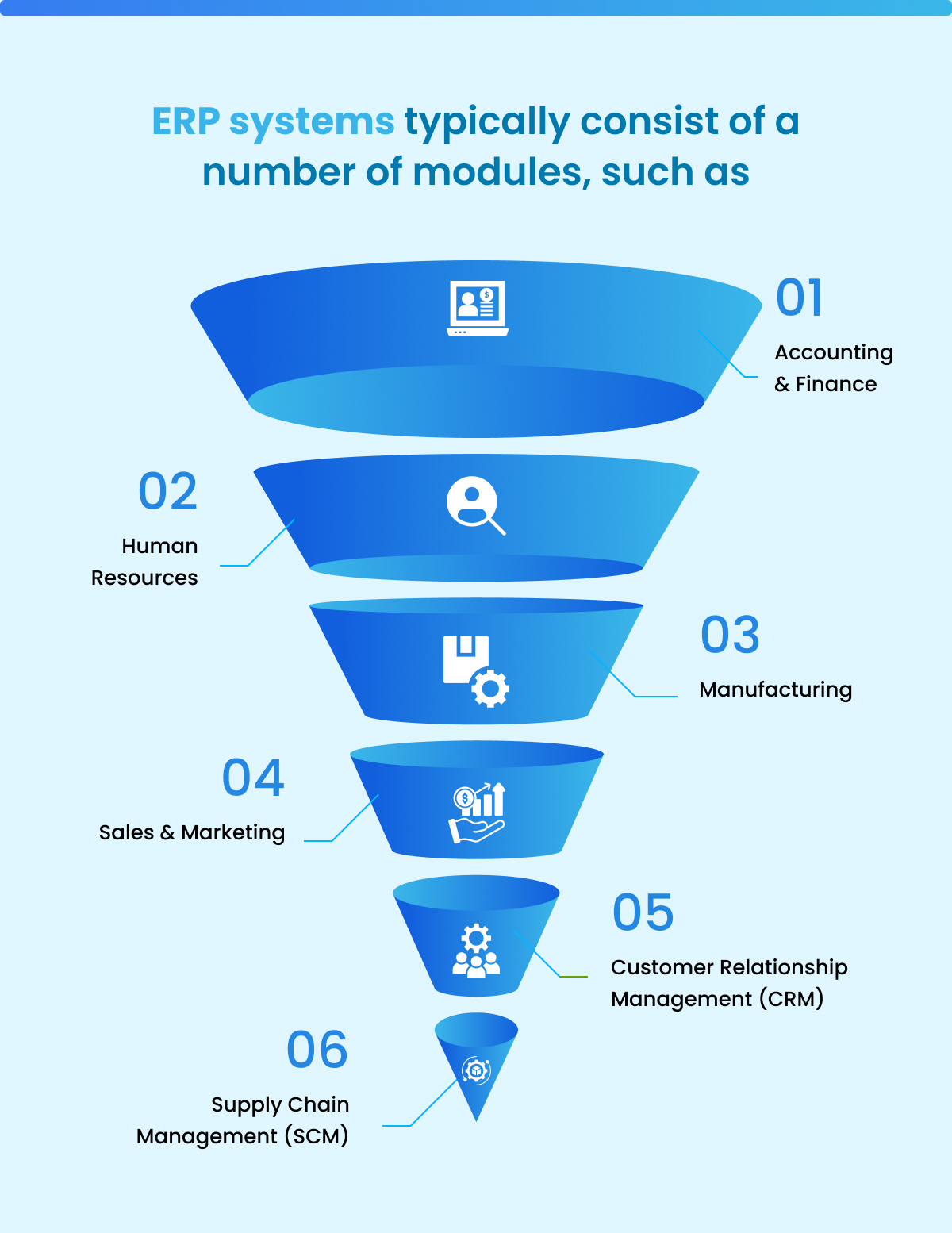
While the specific modules offered can vary by vendor and industry, most ERP systems include a core set of functionalities:
- Financial Management: This is often the most critical module. It handles general ledger, accounts payable (AP), accounts receivable (AR), budgeting, forecasting, asset management, and financial reporting (balance sheets, income statements). It ensures compliance and provides a clear financial picture of the organization.
- Human Resources (HRM/HCM): Manages employee data, payroll, benefits administration, recruiting, onboarding, performance management, training, and talent management. It streamlines HR processes and helps manage the workforce effectively.
- Supply Chain Management (SCM): Covers everything from procurement (purchasing), inventory management, warehousing, and logistics to supplier relationship management. It optimizes the flow of goods and services, ensuring materials are available when needed and products are delivered efficiently.
- Manufacturing: Essential for production-centric businesses. It includes material requirements planning (MRP), production planning and scheduling, quality control, shop floor control, and bill of materials (BOM) management. It helps optimize production processes and reduce waste.
- Customer Relationship Management (CRM): Manages all interactions with customers and potential customers. This includes sales force automation, marketing automation, lead management, customer service, and support. It helps improve customer satisfaction and drive sales.
- Inventory Management: Tracks inventory levels, manages stock movements, monitors stock availability, and helps optimize inventory to reduce carrying costs while avoiding stockouts.
- Project Management: Assists in planning, executing, and tracking projects. It includes tools for task management, resource allocation, time tracking, and project costing, useful for service-based businesses or complex internal projects.
- Business Intelligence (BI): Often integrated or offered as an add-on, BI tools provide advanced analytics, dashboards, and reporting capabilities to help users gain deeper insights from their ERP data.
5. Benefits of Implementing an ERP System
The integration and automation offered by ERP systems translate into a multitude of benefits for businesses:
- Improved Efficiency and Productivity: Automating routine tasks and standardizing processes reduces manual effort and speeds up operations across departments.
- Enhanced Data Accuracy and Consistency: A single, centralized database eliminates data duplication and inconsistencies, leading to more reliable information.
- Better Decision-Making: Real-time access to accurate data and robust reporting tools empower managers to make informed, data-driven decisions more quickly.
- Cost Savings: Reduced operational costs through optimized processes, better inventory management, reduced waste, and minimized manual errors.
- Streamlined Business Processes: ERP enforces best practices and standardizes workflows, leading to greater consistency and predictability.
- Improved Customer Service: With a 360-degree view of customer interactions, sales, and order status, businesses can provide more responsive and personalized customer support.
- Scalability: ERP systems are designed to grow with a business, accommodating increased transaction volumes, new users, and expanding operations.
- Compliance and Risk Management: ERP helps businesses meet regulatory requirements by providing clear audit trails and enforcing compliance policies.
- Competitive Advantage: By operating more efficiently and intelligently, businesses can respond faster to market changes, innovate, and outperform competitors.
6. Challenges and Considerations in ERP Implementation
While the benefits are substantial, implementing an ERP system is a significant undertaking that comes with its own set of challenges:
- High Cost: ERP systems involve substantial investment in software licenses, hardware (for on-premise), implementation services (consulting, customization, data migration), training, and ongoing maintenance.
- Complexity and Lengthy Implementation: ERP projects are complex and can take anywhere from several months to several years to fully implement, depending on the size of the organization and the scope of the system.
- Resistance to Change: Employees may resist adopting new systems and processes, leading to user adoption issues and hindering the project’s success. Effective change management is crucial.
- Data Migration Issues: Transferring data from old, disparate systems to the new ERP system can be complex, time-consuming, and prone to errors.
- Customization vs. Standardization Dilemma: While ERP offers flexibility, excessive customization can increase costs, complexity, and make future upgrades difficult. Balancing unique business needs with standard ERP functionalities is key.
- Vendor Lock-in: Once deeply integrated with a specific ERP vendor, switching to another system can be incredibly difficult and expensive.
- Training Requirements: Comprehensive training is essential to ensure users can effectively operate the new system and leverage its capabilities.
- Scope Creep: The tendency for project requirements to grow beyond their initial scope, leading to increased costs and delays.
Careful planning, strong leadership, clear communication, and a phased approach are vital for a successful ERP implementation.
7. Types of ERP Systems
ERP systems can be deployed in various ways, each with its own advantages and disadvantages:
- On-Premise ERP: Software is installed and run on the company’s own servers and infrastructure. The company is responsible for all maintenance, security, and upgrades. Offers maximum control and customization but requires significant upfront investment and IT resources.
- Cloud-based ERP (SaaS ERP): The software is hosted by the ERP vendor and accessed over the internet (Software as a Service). This model reduces upfront costs, offers greater flexibility, and shifts IT maintenance responsibilities to the vendor. It’s often more scalable and easier to implement but offers less customization.
- Hybrid ERP: A blend of on-premise and cloud solutions, allowing businesses to keep sensitive data or legacy systems on-premise while leveraging the flexibility and scalability of the cloud for other functions.
- Two-tier ERP: Large enterprises might use a full-featured, on-premise ERP system at their headquarters, while smaller subsidiaries or regional offices use a more agile, often cloud-based, ERP solution.
8. The ERP Implementation Process
Implementing an ERP system is a multi-stage process that typically includes:
- Planning and Discovery: Defining project goals, scope, requirements, budget, and timeline. Selecting the right ERP vendor.
- Design and Configuration: Mapping existing business processes to the ERP system, configuring modules, and making necessary customizations.
- Data Migration: Extracting, cleaning, transforming, and loading data from legacy systems into the new ERP database.
- Testing: Thoroughly testing the system to ensure it meets requirements, functions correctly, and integrates seamlessly.
- Training: Training end-users on how to use the new system and its specific modules.
- Go-Live: The actual deployment of the ERP system, switching from old systems to the new one.
- Post-Implementation Support and Optimization: Ongoing support, monitoring, maintenance, and continuous optimization to maximize the system’s value.
9. The Future of ERP
The ERP landscape is continuously evolving, driven by technological advancements and changing business needs:
- AI and Machine Learning Integration: ERP systems are increasingly leveraging AI for predictive analytics, process automation, intelligent recommendations, and enhanced decision-making (e.g., predicting demand, optimizing supply chains, automating financial reconciliations).
- Internet of Things (IoT) Connectivity: Integrating IoT data from sensors (e.g., on manufacturing equipment, in warehouses) into ERP provides real-time insights into asset performance, inventory levels, and supply chain conditions.
- Blockchain for Supply Chain Transparency: Blockchain technology is being explored to enhance transparency, traceability, and security in supply chain transactions managed by ERP.
- Mobile ERP: Accessible via mobile devices, allowing users to perform tasks, view reports, and approve workflows on the go, enhancing flexibility and responsiveness.
- Hyperautomation: Combining AI, ML, robotic process automation (RPA), and other technologies to automate even more complex business processes end-to-end.
- Focus on User Experience (UX): Modern ERP systems are prioritizing intuitive interfaces and personalized dashboards to improve user adoption and productivity.
10. Conclusion
An ERP system is more than just a software solution; it is a strategic business asset that fundamentally transforms how an organization operates. By integrating disparate functions, centralizing data, and automating processes, ERP empowers businesses to achieve unprecedented levels of efficiency, accuracy, and insight. While the journey to implement an ERP system can be challenging, the rewards – from significant cost savings and improved productivity to enhanced decision-making and a stronger competitive position – make it an indispensable investment for any enterprise aiming to thrive in the modern global economy. As technology continues to advance, ERP systems will undoubtedly continue to evolve, becoming even more intelligent, interconnected, and essential for business success.