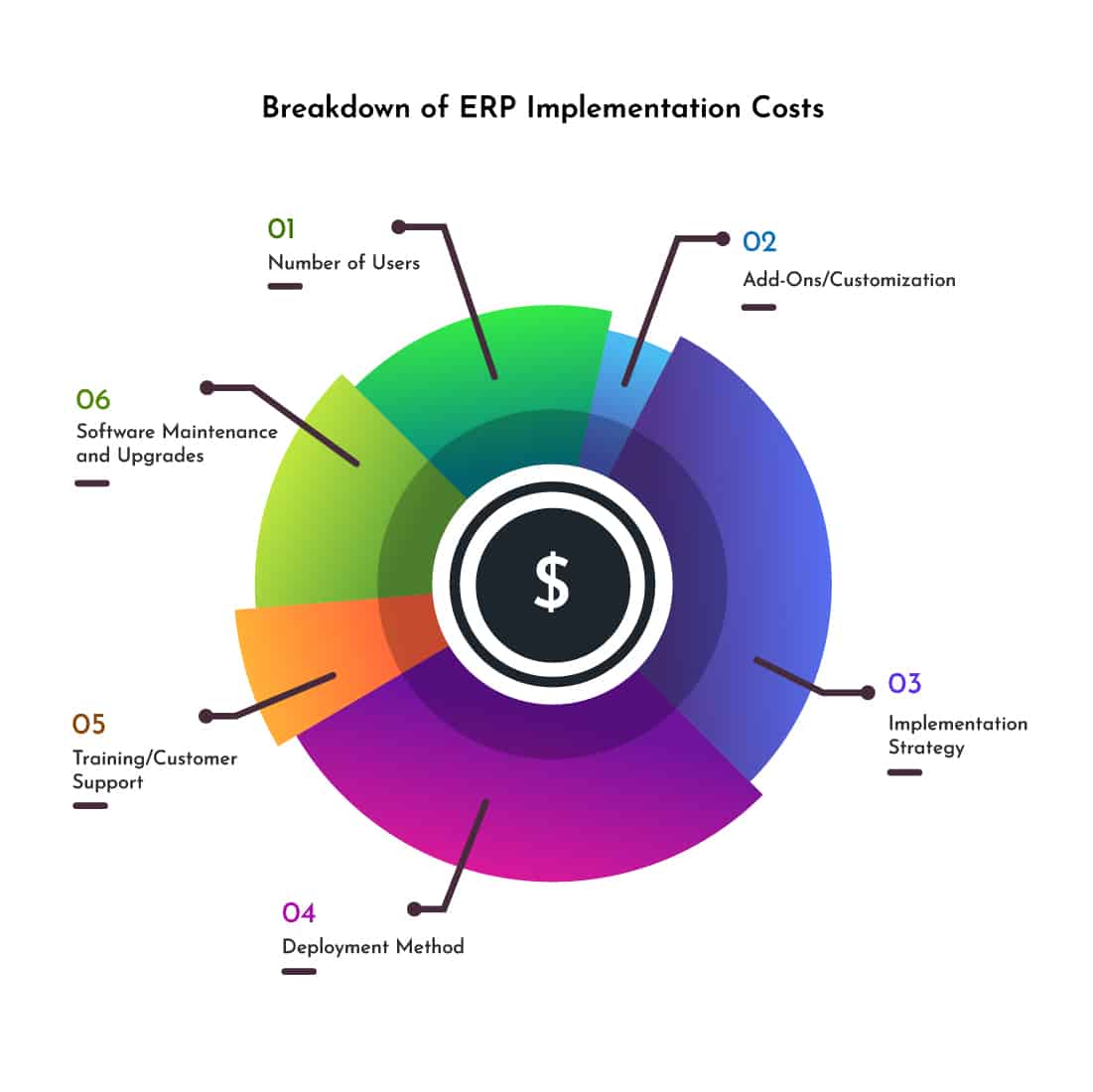
Navigating the Labyrinth: A Comprehensive Breakdown of ERP Implementation Costs
Implementing an Enterprise Resource Planning (ERP) system is one of the most significant strategic investments a company can make. It promises streamlined operations, enhanced decision-making, improved efficiency, and a unified view of business processes. However, beneath the promise lies a complex financial landscape, often underestimated by organizations. The true cost of an ERP implementation extends far beyond the software license itself, encompassing a myriad of categories that, if not properly budgeted for, can lead to significant financial strain and even project failure.
This article delves into a comprehensive breakdown of ERP implementation costs, aiming to demystify the financial commitment involved and equip businesses with a clearer understanding of what to expect. We will explore direct and indirect costs, initial and ongoing expenses, and the crucial factors that influence the overall investment.
The Myth of the "Software Price Tag"
Many organizations fall into the trap of equating ERP costs solely with the software license or subscription fees. While these are certainly a component, they typically represent only a fraction – often as little as 10-20% – of the total cost of ownership (TCO). The real expenditure lies in the services, infrastructure, people, and ongoing maintenance required to make the system functional and valuable.
Key Cost Categories in ERP Implementation
Let’s dissect the various financial components that contribute to the overall ERP investment:
1. Software Licenses and Subscriptions
This is often the most visible cost. The pricing model varies significantly depending on the ERP vendor and deployment method.
- On-Premise Licenses (Perpetual): This involves a one-time upfront purchase of the software license, granting the company the right to use the software indefinitely. Pricing is typically based on the number of users, specific modules purchased (e.g., finance, HR, manufacturing, supply chain), or transaction volume. While the initial outlay is high, there are no recurring subscription fees, though annual maintenance and support contracts are usually mandatory.
- Cloud-Based Subscriptions (SaaS – Software as a Service): This model involves recurring payments (monthly or annually) for access to the software hosted by the vendor. Pricing is generally based on the number of users, modules, data storage, or specific usage metrics. SaaS offers a lower upfront cost, shifting capital expenditure (CapEx) to operational expenditure (OpEx), and often includes maintenance, upgrades, and basic support.
- Hybrid Models: Some vendors offer a mix, allowing certain modules on-premise and others in the cloud, or a combination of perpetual licenses with cloud services.
Factors influencing this cost: The chosen ERP vendor (Tier 1 like SAP/Oracle are typically more expensive than Tier 2 like Microsoft Dynamics/NetSuite/Infor, or Tier 3 niche solutions), the number of users, the specific modules required, and the desired functionalities.
2. Implementation Services and Consulting
This category is almost always the largest slice of the ERP pie, often accounting for 40-60% of the total project budget. These are the fees paid to external consultants and system integrators who possess the expertise to configure, customize, and deploy the ERP system according to the company’s specific needs.
- Business Process Analysis & Requirements Gathering: Consultants help map existing processes, identify inefficiencies, and define how the ERP system will support future state processes. This critical phase ensures the system aligns with business goals.
- System Configuration: Tailoring the standard ERP software to meet specific business rules, workflows, and reporting needs without altering the core code. This involves setting up parameters, master data structures, and user roles.
- Customization and Development: When standard ERP functionality doesn’t meet unique business requirements, customization involves modifying the core software or developing entirely new functionalities. This is a high-cost area due to specialized programming skills and potential future upgrade complexities.
- Data Migration Strategy & Execution: Planning and executing the transfer of historical and current data from legacy systems into the new ERP. This includes data cleansing, transformation, validation, and loading.
- Integration Services: Connecting the ERP system with other critical business applications (e.g., CRM, e-commerce platforms, third-party logistics, HR systems) to ensure seamless data flow and process automation. This often requires developing APIs or using middleware solutions.
- Testing: Developing test scripts, conducting various testing phases (unit testing, integration testing, user acceptance testing), and resolving bugs.
- Project Management: Dedicated project managers (internal or external) are crucial for overseeing the entire implementation lifecycle, managing timelines, resources, risks, and communication.
- Change Management Consulting: Guiding the organization through the transition, addressing resistance, fostering adoption, and ensuring employees embrace the new system and processes.
Factors influencing this cost: The complexity of the business, the number of modules implemented, the degree of customization required, the quality and completeness of existing data, the chosen consulting firm’s rates, and the project’s duration.
3. Hardware and Infrastructure
Even in the age of cloud computing, hardware and infrastructure costs are relevant, especially for on-premise deployments or hybrid models.
- On-Premise:
- Servers: Purchase or upgrade of physical servers to host the ERP application and database.
- Storage: High-performance storage solutions for ERP data.
- Networking Equipment: Routers, switches, firewalls, and network cabling to ensure robust connectivity.
- Data Center Facilities: Space, power, cooling, and physical security for server infrastructure.
- Backup and Disaster Recovery Solutions: Essential for data integrity and business continuity.
- Cloud-Based: While the vendor handles most infrastructure, companies still need to consider:
- Client Devices: Upgrading workstations, laptops, and mobile devices to meet ERP system requirements.
- Network Bandwidth: Ensuring sufficient internet bandwidth to support cloud access for all users.
- Security Tools: Enhancing internal network security to protect access to cloud applications.
Factors influencing this cost: Deployment model (on-premise vs. cloud), company size, number of users, data volume, and performance requirements.
4. Data Migration
Often underestimated, data migration is a critical and costly component. It involves moving vast amounts of historical and current data from disparate legacy systems into the new ERP.
- Data Cleansing: Identifying and correcting inaccurate, incomplete, or redundant data. This is an extremely time-consuming but vital step to ensure data quality in the new system.
- Data Transformation: Reformatting data to fit the new ERP’s structure and standards.
- Data Loading: The actual process of importing cleansed and transformed data into the ERP system.
- Validation: Verifying that data has been accurately migrated and is accessible and correct within the new system.
Factors influencing this cost: The volume and complexity of data, the number of legacy systems, the quality of existing data, and the availability of internal resources for data preparation.
5. Training and Change Management
A powerful ERP system is useless if employees don’t know how to use it or resist its adoption.
- End-User Training: Developing training materials, conducting workshops, and providing hands-on training for all employees who will interact with the system. This can be delivered through various formats (classroom, e-learning, one-on-one).
- Super-User Training: Training key personnel to become internal experts who can support their colleagues and provide ongoing assistance.
- Documentation: Creating user manuals, FAQs, and process guides.
- Change Management Programs: Activities aimed at preparing employees for the new system, communicating its benefits, addressing concerns, and fostering a positive attitude towards the change. This includes communication plans, stakeholder engagement, and resistance management.
Factors influencing this cost: The size of the workforce, the complexity of the ERP system, the number of modules implemented, and the chosen training methods.
6. Internal Staff Costs (Hidden Costs)
This is perhaps the most overlooked and significant "hidden cost." While not direct invoices, the time and effort expended by internal employees during an ERP project represent a substantial opportunity cost.
- Project Team Members: Dedicated internal staff (e.g., subject matter experts, IT personnel, project leads) who spend significant time on requirements gathering, process mapping, data preparation, testing, and training.
- Opportunity Cost: The value of the work employees could have been doing if they weren’t engaged in the ERP project.
- Overtime and Temporary Staff: Sometimes required to cover operational gaps while key personnel are focused on the ERP.
Factors influencing this cost: The availability and dedication of internal resources, the project’s duration, and the extent of internal involvement desired.
7. Ongoing Maintenance and Support
The financial commitment doesn’t end after go-live. ERP systems require continuous attention.
- Annual Maintenance Fees (for On-Premise): Typically 15-25% of the initial software license cost, covering bug fixes, patches, and access to new versions or major upgrades.
- SaaS Subscription Renewals: The recurring fees for cloud-based ERP, which often include maintenance, upgrades, and standard support.
- Internal Support Staff: Hiring or dedicating internal IT personnel to manage the ERP system, provide user support, perform routine tasks, and handle system administration.
- Upgrades and Enhancements: Periodically upgrading the system to new versions or implementing new modules/functionalities as business needs evolve.
- Customization Maintenance: Costs associated with maintaining and updating custom code after system upgrades.
- Security Audits and Updates: Ensuring the system remains secure against evolving cyber threats.
Factors influencing this cost: The ERP vendor’s pricing model, the level of internal IT expertise, the complexity of the system, and the frequency of new feature adoption.
8. Contingency Fund
No ERP project is without unforeseen challenges. Budgeting a contingency fund is absolutely critical.
- Unforeseen Issues: Unexpected technical problems, scope creep, integration difficulties, or data quality surprises.
- Scope Changes: Additional requirements identified during the project.
- Extended Timelines: Delays that lead to increased consultant or internal staff costs.
Recommendation: A contingency fund of 10-25% of the total project budget is generally recommended.
Factors Influencing the Overall ERP Cost
Beyond the specific cost categories, several overarching factors significantly impact the total investment:
- Company Size and Complexity: Larger companies with more employees, complex organizational structures, multiple business units, and global operations will naturally incur higher costs.
- Scope of Implementation: The number of modules being implemented (e.g., just finance vs. finance, HR, manufacturing, and supply chain) directly correlates with cost. A ‘big bang’ approach (implementing everything at once) is generally more expensive than a phased approach.
- Choice of ERP Vendor: Tier 1 ERPs (e.g., SAP, Oracle) are typically designed for large enterprises and come with higher license and implementation costs compared to Tier 2 (e.g., Microsoft Dynamics 365, NetSuite, Infor, Acumatica) or Tier 3 solutions, which cater to mid-market and smaller businesses.
- Deployment Model (On-Premise vs. Cloud): On-premise has higher upfront CapEx, while cloud (SaaS) shifts costs to OpEx with lower initial outlay but recurring fees.
- Level of Customization: Extensive customization significantly drives up implementation costs, increases maintenance complexity, and can make future upgrades more challenging and expensive.
- Quality of Existing Data: Poor data quality necessitates extensive data cleansing, adding considerable time and cost to the project.
- Internal Expertise and Resources: Companies with strong internal project management, IT, and subject matter experts can reduce reliance on external consultants, thereby lowering costs.
Strategies for Cost Optimization
While ERP implementation is a significant investment, companies can employ strategies to manage and optimize costs:
- Define a Clear Scope: Thoroughly define project requirements and scope upfront to minimize scope creep, which is a major cost driver.
- Leverage Standard Functionality: Prioritize using out-of-the-box ERP features whenever possible to reduce customization costs. Only customize when absolutely necessary for competitive advantage.
- Phased Approach: Consider implementing ERP modules in phases rather than a "big bang." This allows for lessons learned, easier user adoption, and better cost control.
- Strong Internal Project Team: Dedicate qualified internal resources to the project to reduce reliance on expensive external consultants for certain tasks.
- Negotiate Vendor Contracts: Thoroughly review and negotiate all contracts with ERP vendors and implementation partners, including service level agreements (SLAs).
- Focus on Data Quality Early: Invest time and resources in data cleansing and preparation before the implementation phase begins.
- Comprehensive Training: Invest adequately in user training and change management to maximize adoption and minimize post-go-live support issues.
Conclusion
An ERP implementation is not just a technology project; it’s a profound business transformation. Understanding the intricate breakdown of its costs is paramount for successful planning, budgeting, and execution. From software licenses and extensive consulting fees to often-overlooked internal staff costs and crucial contingency funds, the financial commitment is multi-faceted and significant.
By conducting a thorough needs assessment, engaging experienced partners, meticulously planning each phase, and budgeting realistically for both direct and indirect expenses, companies can navigate the financial labyrinth of ERP implementation. Ultimately, a well-planned and executed ERP project, despite its substantial cost, yields a compelling return on investment through enhanced efficiency, improved decision-making, and a more agile, competitive enterprise. The upfront investment is not merely an expense, but a strategic commitment to the future growth and sustainability of the business.
Leave a Reply